Guide 7 of 9 · 4 min read
Let Autopilot prepare applications for you
Autopilot scores every new job, analyses the strong ones and drafts a tailored resume and cover letter for the best.
- 01
What Autopilot does
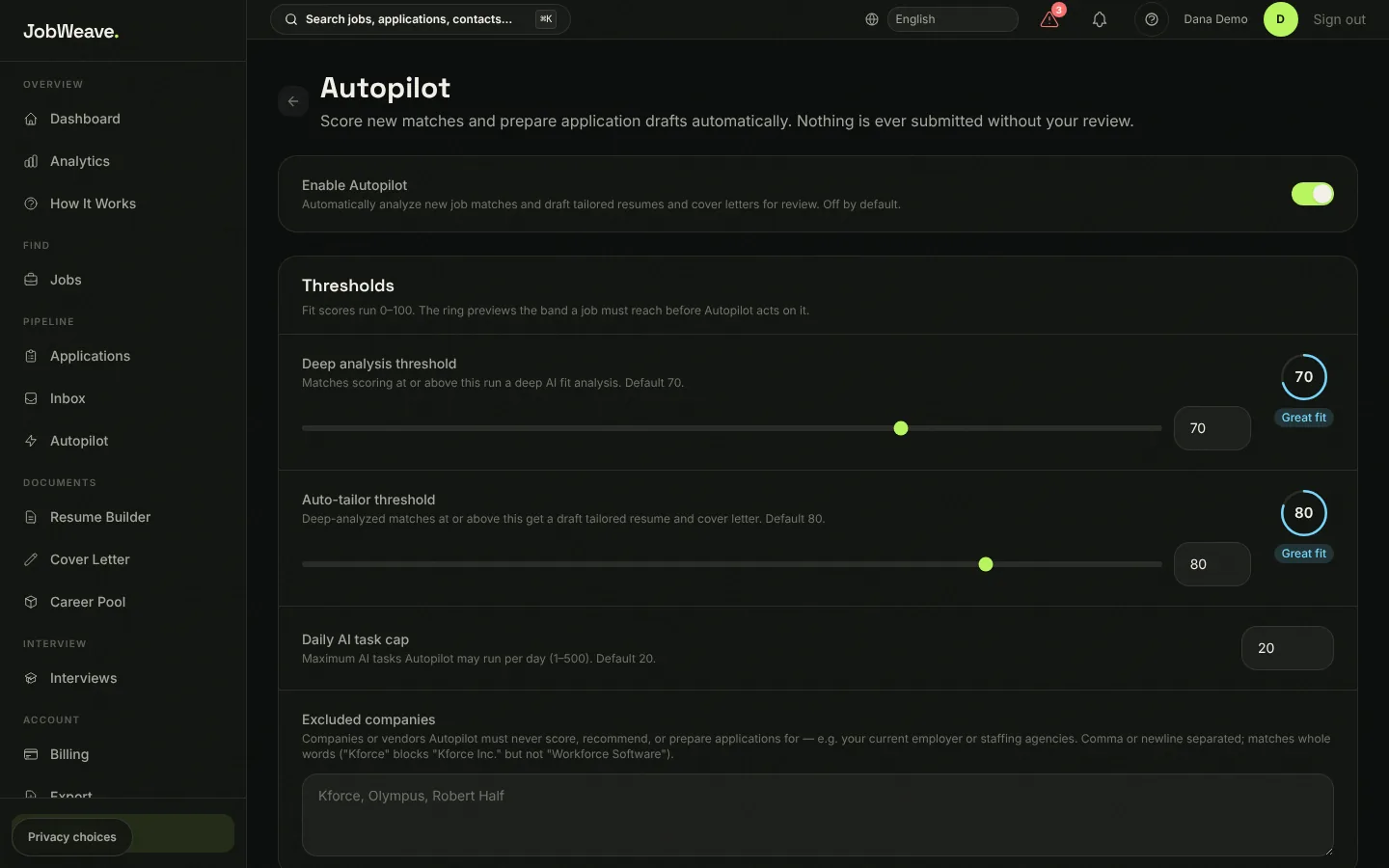
Once a day, after the morning scan, every new listing gets a free fit score. Listings at or above your deep-analysis threshold get an AI review of real strengths and gaps. Listings at or above your auto-tailor threshold get a tailored resume and cover letter, which land on your Applications board as Ready to Apply for you to review.
Autopilot never submits an application form. The only thing that can ever send an application is auto-send, which stays off until you turn it on. Turning it on queues the next daily run; it does not act the moment you flip the switch.
- 02
Set your thresholds and budget
Settings, then Autopilot. The defaults are a deep-analysis threshold of 70, an auto-tailor threshold of 80, and a daily cap of 20 AI tasks so a busy day can never run away with cost. Excluded companies are never scored, recommended or prepared for: put your current employer and any agencies you avoid here.
- 03
Check its work
The Autopilot page in the sidebar shows the queue of work it has done and anything that failed, so you can retry it.