Guide 8 of 9 · 4 min read
Track every application and your interview rate
Move applications from Saved to Offer, and watch the one number that matters: how often you get an interview.
- 01
Use the board
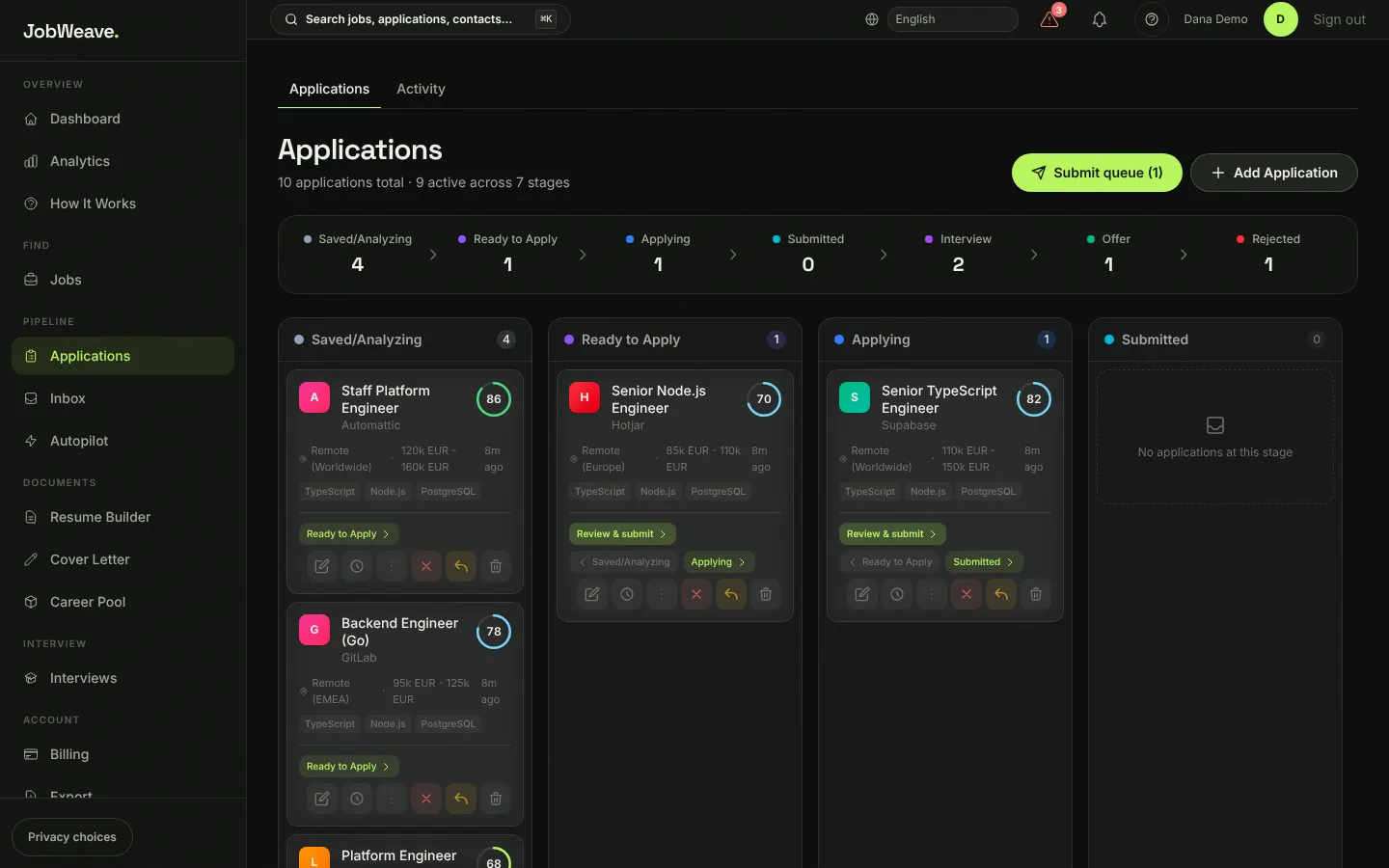
Applications shows one column per stage: Saved/Analyzing, Ready to Apply, Applying, Submitted, Interview, Offer and Rejected. Move a card with its forward and back buttons or its Move to menu. Submit queue collects everything ready for you to apply to.
- 02
Interviews need evidence
A card moves to Interview or Offer automatically when an invite or offer arrives in your connected inbox. To move one by hand without an invite, scheduled interview or reply on record, JobWeave asks for a short reason and keeps it in the card's history. That keeps your numbers honest.
- 03
Watch your interview rate
Your dashboard and Analytics lead with the interview rate: submitted applications that reached an interview or an offer, divided by everything you submitted. Underneath you see the response rate and the offer rate. If the interview rate is low, apply to fewer, better-matched roles before you apply to more.
- 04
Take your data with you
Export downloads everything as an Excel workbook or a CSV file.