Guide 4 of 9 · 8 min read
Install the Browser Relay and fill applications
Pair the Chrome extension, save jobs from any page and fill application forms that you review and submit yourself.
- 01
Install the extension
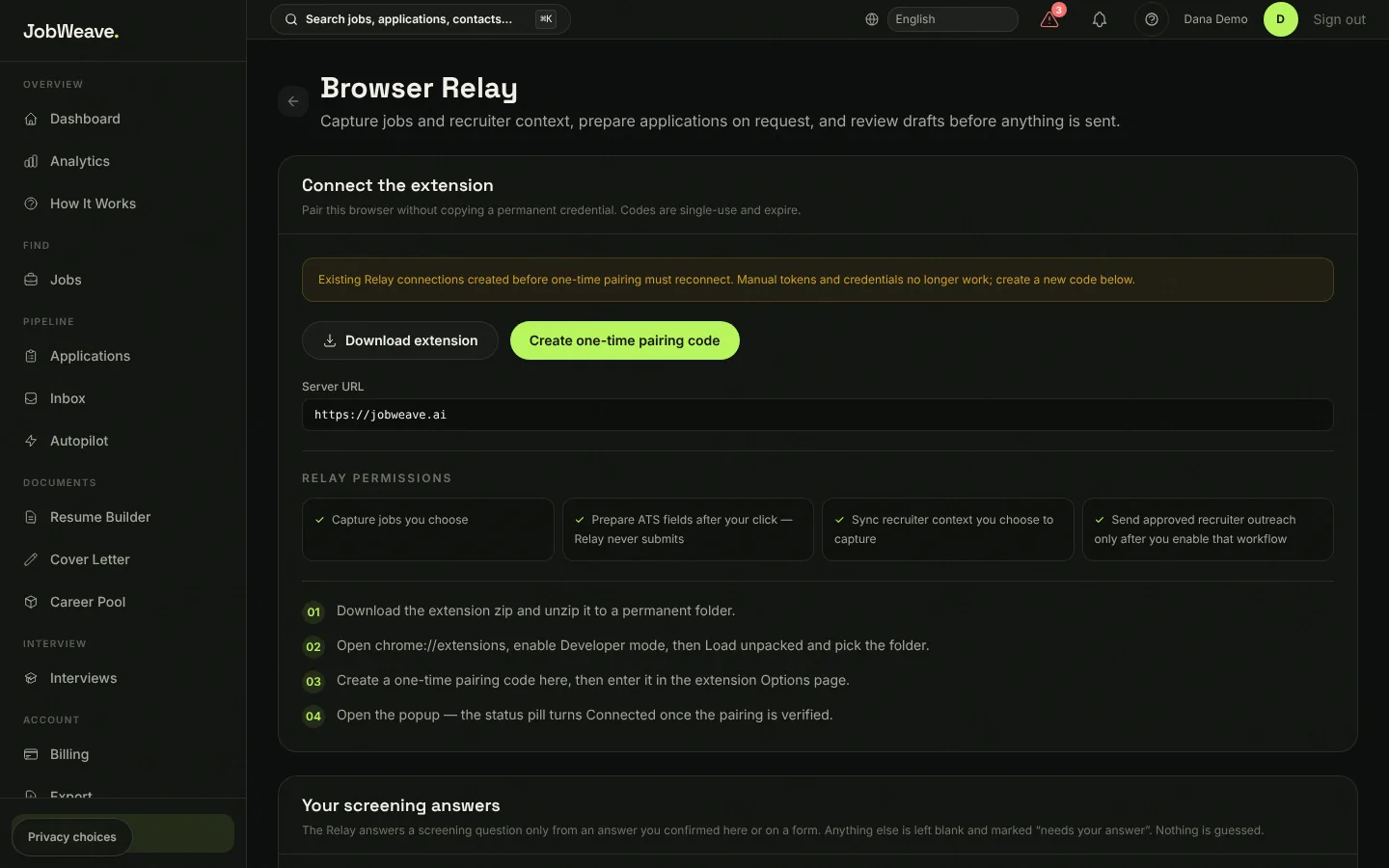
Browser Relay is a Chrome extension (Chrome 116 or newer). In JobWeave open Extension in the sidebar and choose Download extension. Unzip it into a folder you will keep, open chrome://extensions, switch on Developer mode, choose Load unpacked and pick that folder.
- 02
Pair it with a one-time code
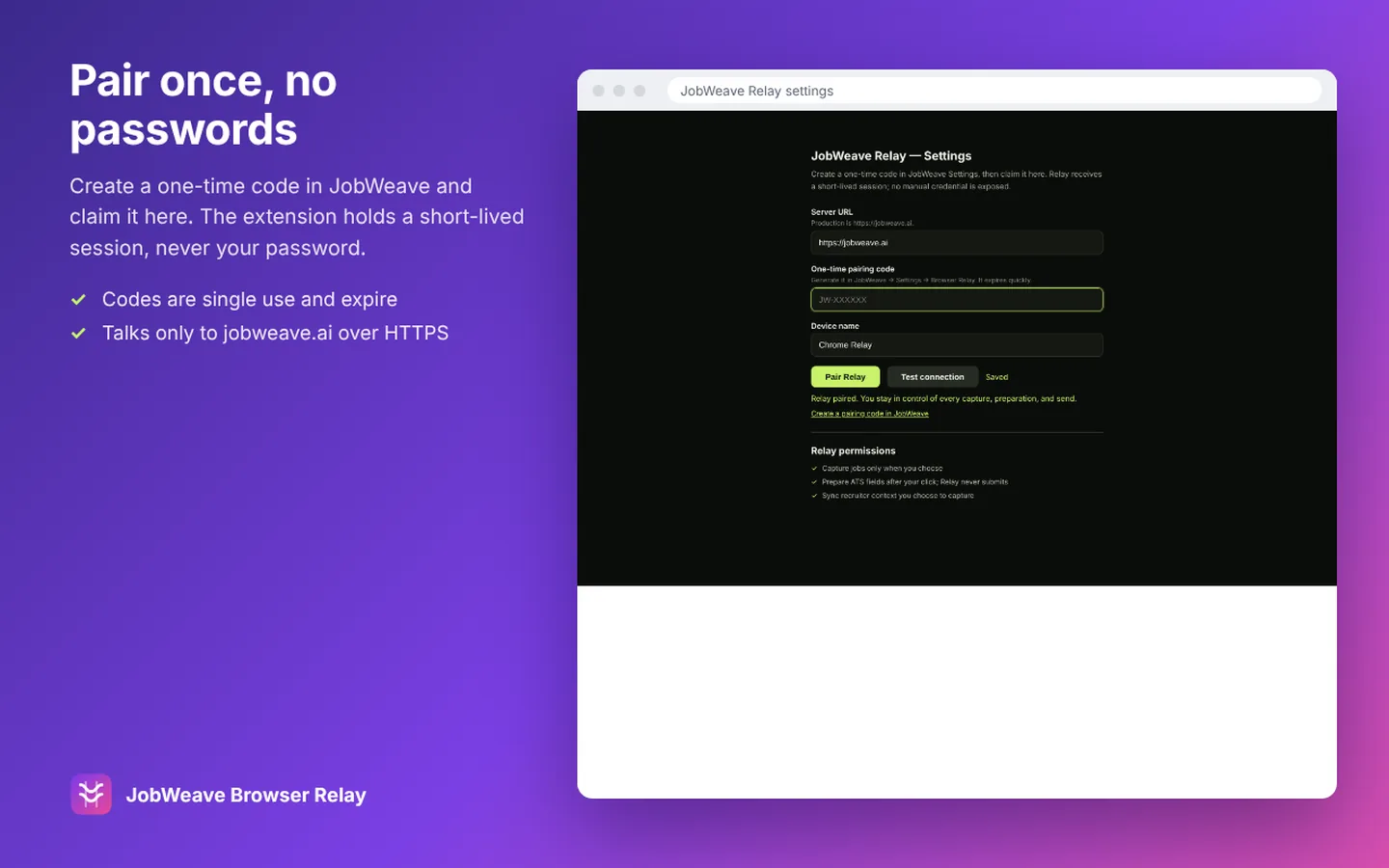
On the same page choose Create one-time pairing code. You get a code like JW-AB12CD that works once and expires after 10 minutes. In the extension open Settings, paste the code, and choose Pair Relay. The popup's status turns green and shows Connected with your email.
The extension never stores your password. It holds a short-lived session that renews itself.
- 03
Save a job from any listing
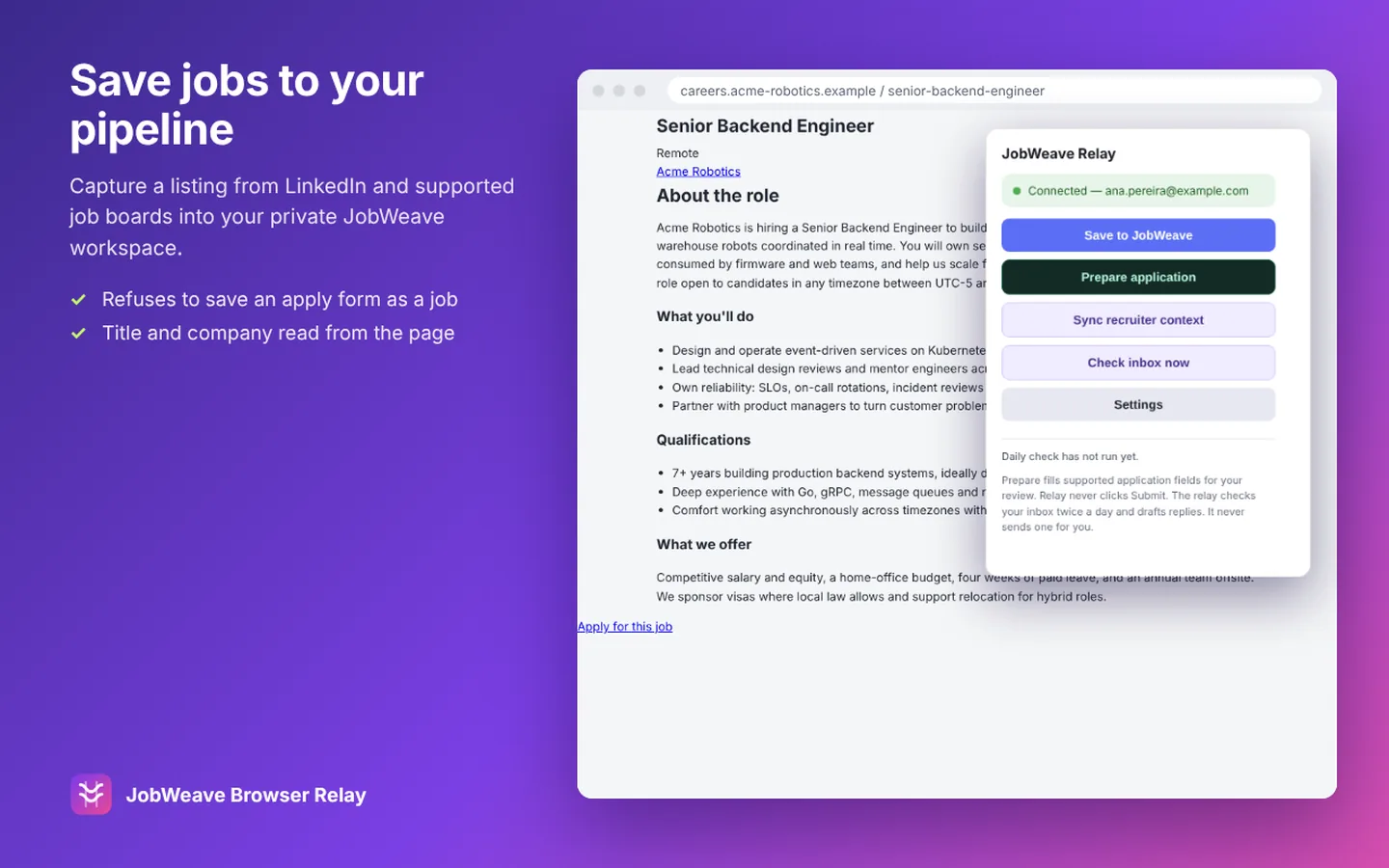
On a job listing, open the extension and choose Save to JobWeave. It reads the title, company and description and links you to the saved job. If you are on the application form rather than the listing, it tells you to open the listing first.
Saving from the extension counts toward your plan: 5 saves a month on Free, 1,000 on Pro. Filling applications is unlimited on every plan.
- 04
Fill an application, then submit it yourself
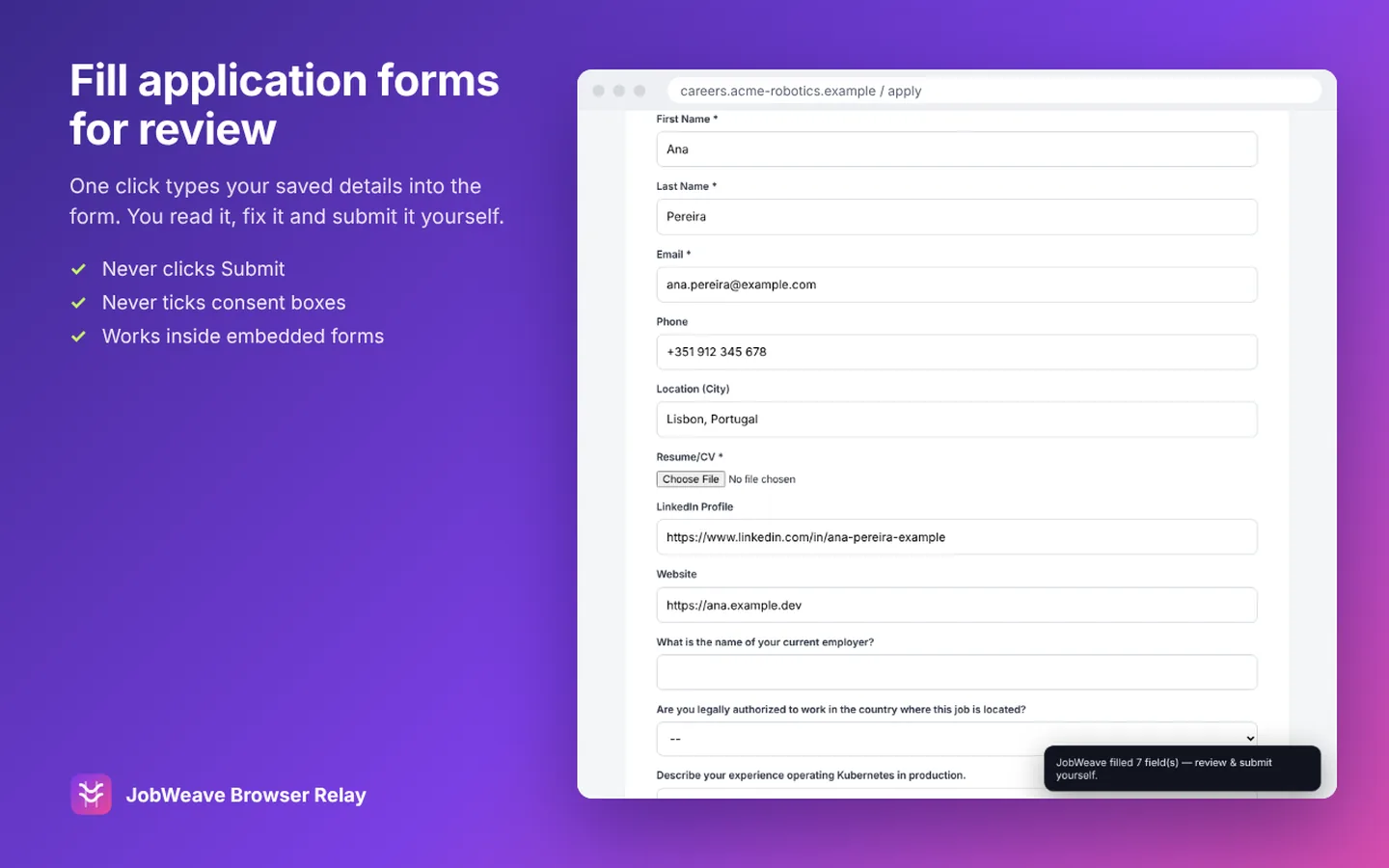
Open the application form and choose Prepare application in the popup. Relay fills your name, email, phone, location, LinkedIn, GitHub and website, and the screening questions you have already answered. A note on the page says how many fields it filled and how many questions still need you.
It works on Greenhouse, Lever, Workday, Ashby, iCIMS, SmartRecruiters and Indeed, including forms embedded in a company's own careers page. It does not attach your resume file, tick checkboxes or consent boxes, or choose radio buttons for you.
Relay never clicks Submit. A test in the extension's code fails if it ever could.
- 05
Answer each screening question once
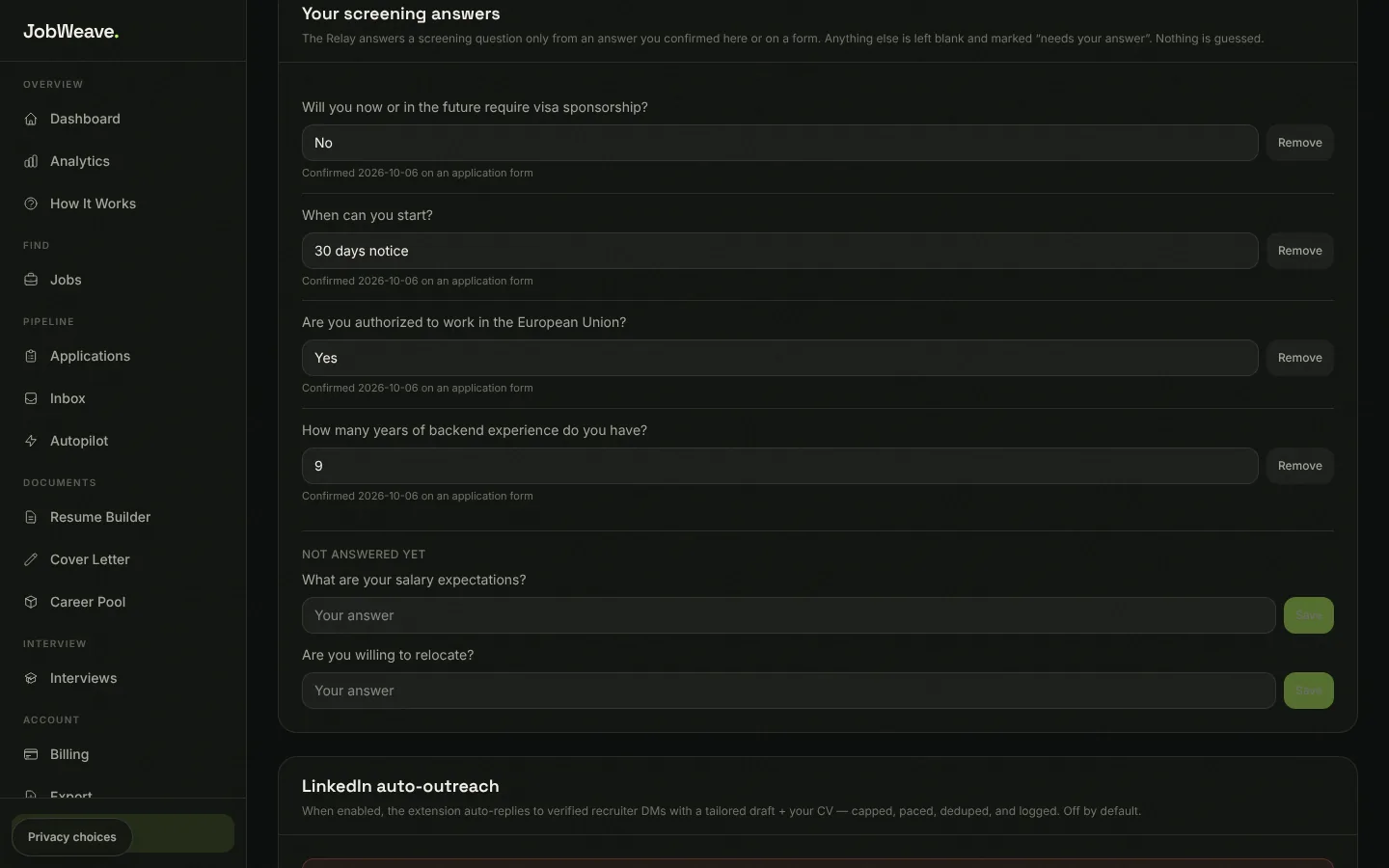
Relay answers a screening question only from an answer you confirmed. Anything else is left blank and marked Needs your answer. Type your answer and choose Save my answer, and it is reused on your next application.
Work authorization and sponsorship answers are kept per country, so a yes for Portugal is never reused for a question about the US. You can review, change or remove every saved answer under Your screening answers on the Extension page, and answer common questions in advance there.
Questions
- Is Browser Relay on the Chrome Web Store?
- It has been submitted. Until it is listed, install the download from your Extension page as described above. Autofill is free and unlimited on every plan.
- Does Relay read my browsing?
- No. It acts only when you press a button in its popup, and it talks only to jobweave.ai over HTTPS.