Guide 5 of 9 · 7 min read
Turn recruiter email and LinkedIn messages into a pipeline
Connect Gmail and LinkedIn so every recruiter conversation is sorted, scored and answered from one inbox.
- 01
Connect Gmail
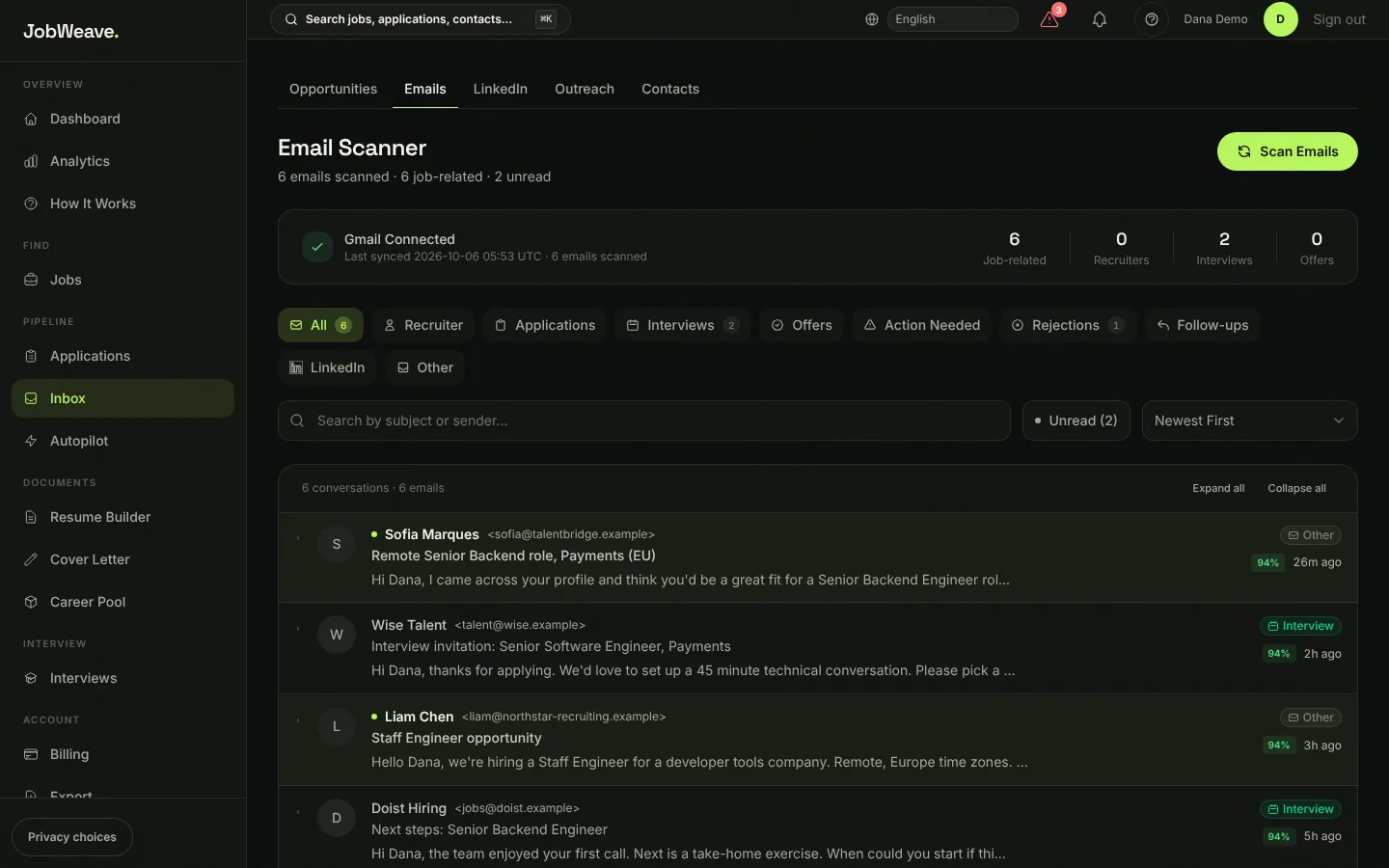
Settings, then Gmail, then Connect. JobWeave asks for read-only access to your mail. It finds job-related messages and sorts them: recruiter, application, interview, offer, action needed, rejection, follow-up and LinkedIn. Anything from a sender on your Blocked Senders list is skipped (block a whole domain with @company.com).
- 02
Bring in LinkedIn messages
With Browser Relay installed, open LinkedIn Messaging and choose Sync recruiter context in the popup. Relay also checks your inbox up to twice a day while a LinkedIn Messaging tab is open, and its icon shows how many conversations from the last 30 days are waiting on your reply. Without the extension you can use the capture bookmarklet on the LinkedIn tab of the Inbox.
- 03
Work from Opportunities
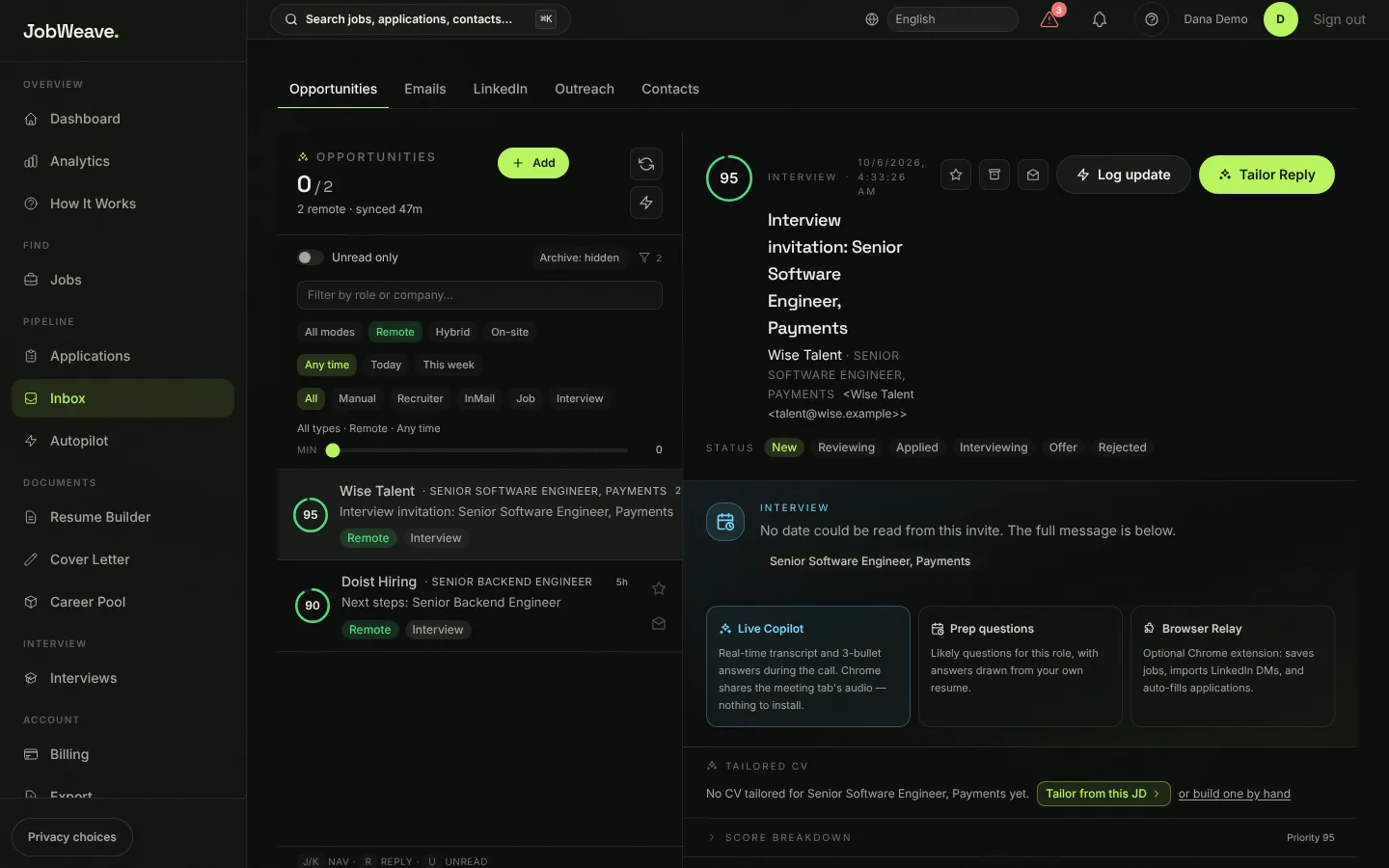
Inbox, then Opportunities, shows each recruiter conversation once, even when it moved from LinkedIn to email, ranked by how promising it is. Open one to see the full thread, mark its status from New to Offer, log a call or message that happened elsewhere, and tailor a resume to that role.
- 04
Draft a reply
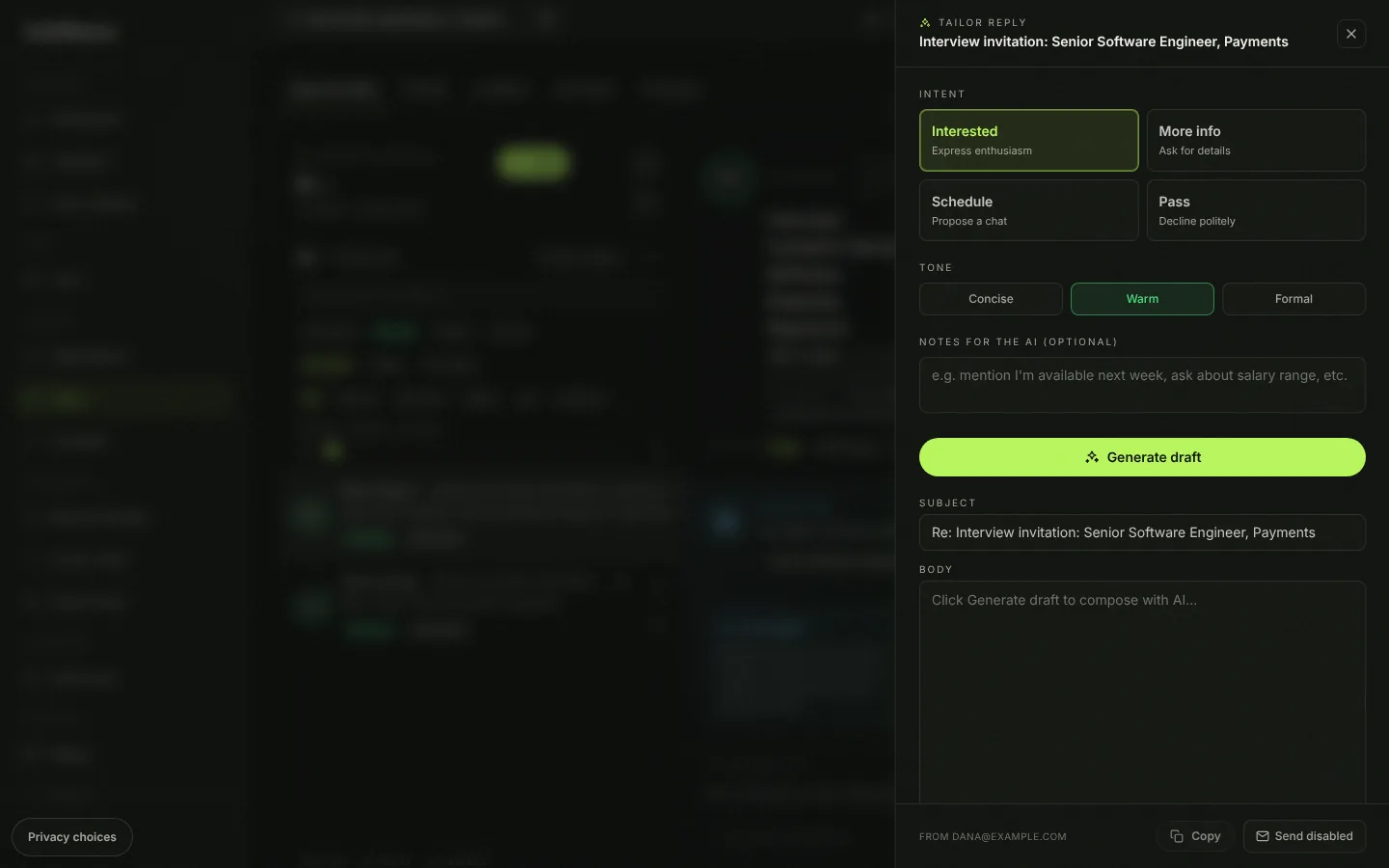
Choose Tailor Reply. Pick what you want to say (Interested, More info, Schedule or Pass) and a tone (Concise, Warm or Formal), add a note for the draft if you like, and choose Generate draft. Edit it, then copy it or send it from JobWeave.
Anything a draft says about your experience comes from your resume and Career Pool. When a recruiter asks you to answer something in your own words, the draft gives you notes for it instead of a finished answer.
Free includes 1 reply draft a month and Pro includes 250. Sending from JobWeave needs one extra permission: Settings, Gmail, Grant Send Access. Without it you copy the draft into Gmail yourself.