Guide 3 of 9 · 6 min read
Find remote jobs you can actually take
Set your preferences and eligibility once, and JobWeave hides the listings that say they can't hire you.
- 01
Where the jobs come from
JobWeave collects listings every morning from 12 sources: RemoteOK, Himalayas, We Work Remotely, Remotive, Arbeitnow, Jobicy, LinkedIn Jobs, DevITJobs, Working Nomads, Hacker News Who's Hiring, and companies hiring directly through Greenhouse and Lever. Discover Jobs on the Jobs page runs a scan on demand, and Add Job saves anything you found yourself.
- 02
Tell it what you want
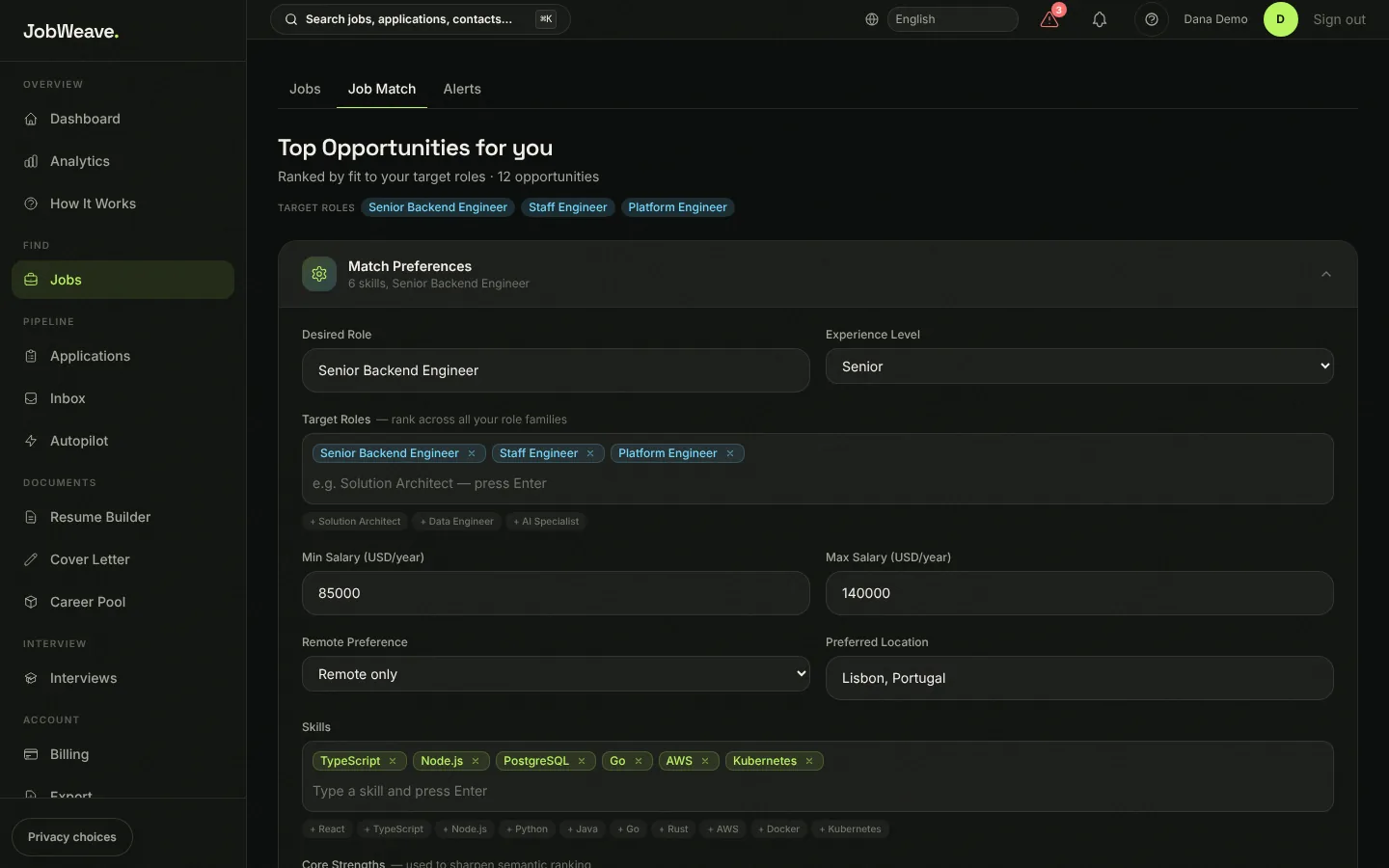
Open Jobs, then the Job Match tab, and expand Match Preferences. Set your desired role, experience level, other target roles, salary range, remote preference, preferred location, skills and strengths. Every listing gets a fit score from 0 to 100 against these, weighing role fit, skills, salary, remote, location and how recent the posting is.
- 03
Hide the jobs you can't take
The Eligible for you bar on the Jobs page holds three facts: the country you live in, your time zone with the minimum hours of overlap you need (4 by default), and where you are authorized to work, including EU/EEA. JobWeave reads each listing's hiring regions, time-zone limits and authorization requirements and hides the ones that rule you out. Listings that say nothing are kept, and a role that offers visa sponsorship is never hidden for lack of work authorization.
Show excluded and why lists every hidden job with its reason, so nothing disappears silently. Save the bar as your default and it applies everywhere.
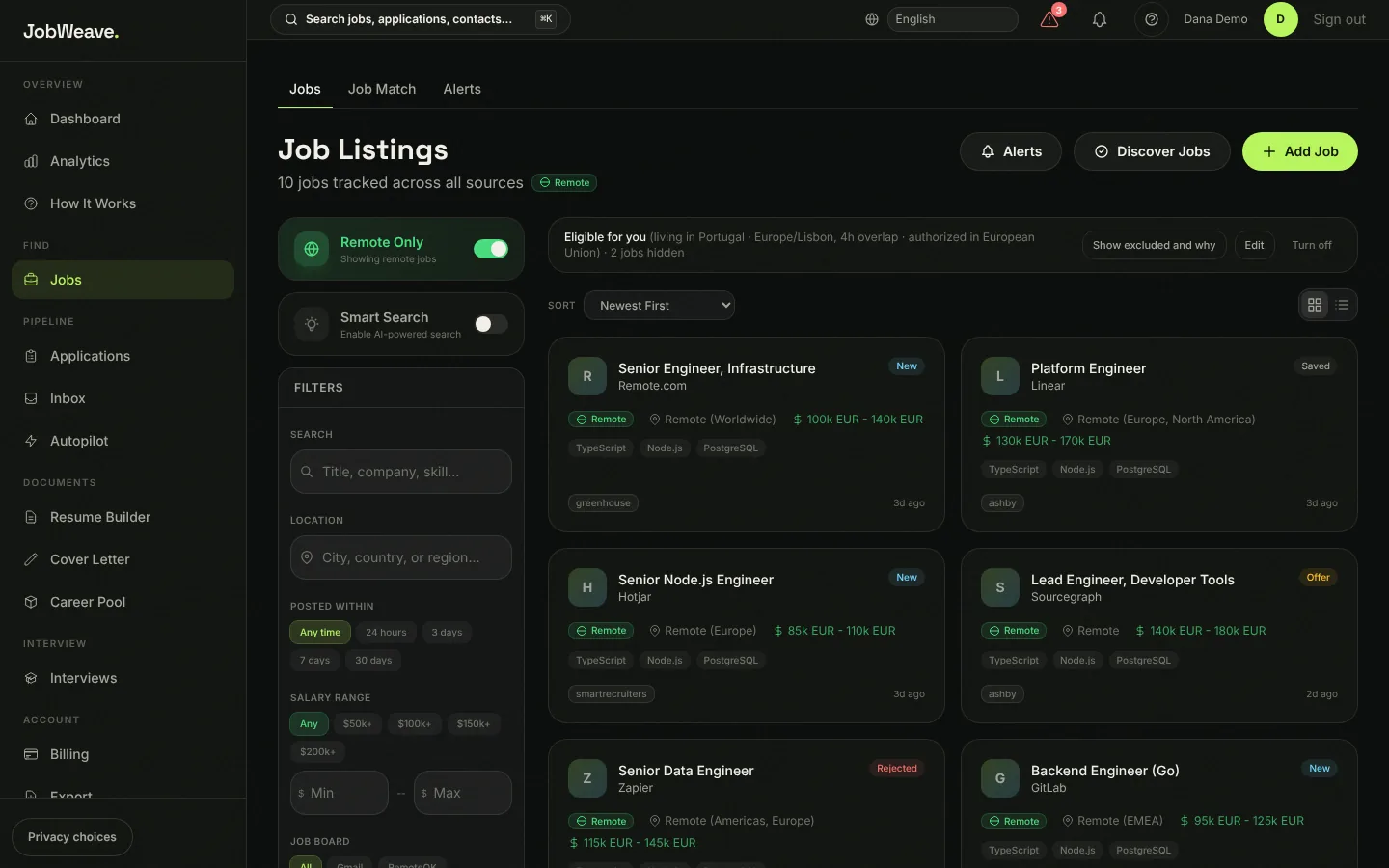
Two listings are hidden here: one hires in the US only, the other only in Germany. - 04
Filter, sort and save
Filters cover keywords, location, posting date (24 hours to 30 days), salary floor, source and tags. Remote Only is on by default. Sort by newest, relevance or salary. Saving a job puts it on your Applications board at Saved, and saving it again never moves it backwards.
- 05
Get alerts
Alerts are saved searches, each with its own on and off switch. New matches are emailed to you once a day.