Guide 1 of 9 · 5 min read
Quick start: your first 15 minutes
Create an account, finish the six-step setup and know where everything lives before you apply anywhere.
- 01
Create your account
Sign up at jobweave.ai with email and password, or with Google or LinkedIn. The Free plan needs no card. Pro is $29 a month after a 14-day trial.
- 02
Walk through the setup wizard
After sign-up JobWeave opens a six-step setup: You, Target, Resume, Gmail, Extension and Done. Every step except the last can be skipped, and if you leave halfway it reopens at the first step you have not finished.
- You: the name JobWeave uses for you.
- Target: the role you want, remote only or a city, and where you live, your time zone and where you may work. Jobs you cannot take are hidden.
- Resume: upload a PDF or Word file and JobWeave reads it into an editable resume.
- Gmail: connect your inbox so recruiter mail becomes opportunities. Tick the box to also allow sending replies you approve.
- Extension: download the Browser Relay and pair it with a one-time code.
- Done: what is set up and what happens next. Open my dashboard finishes setup.
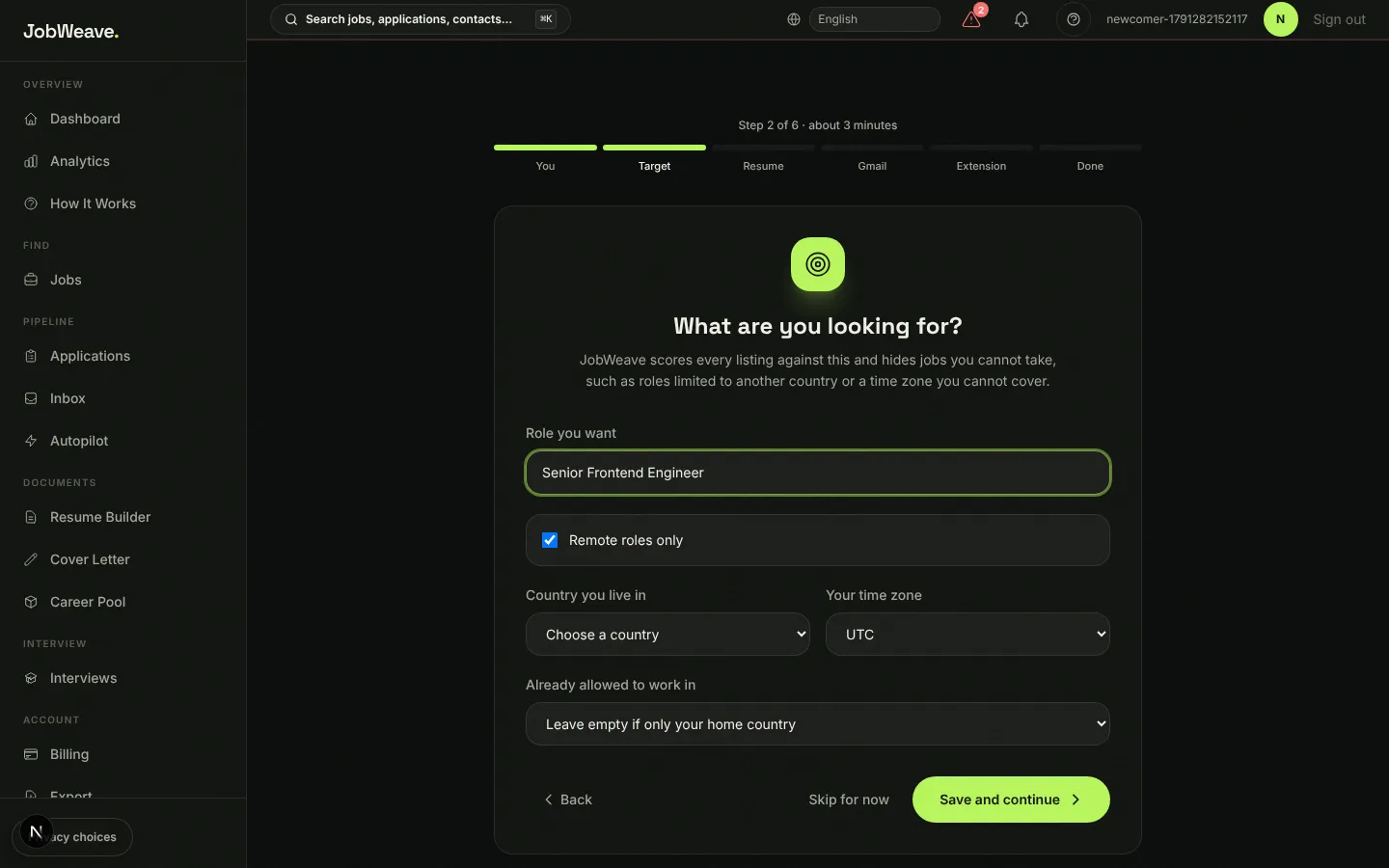
The setup wizard. Your target role and where you may work decide which jobs you see. - 03
Follow the Getting started checklist
Your dashboard shows a six-item checklist in the order that unlocks the most: add your resume, set match preferences, connect Gmail, install the browser extension, find and save a job, turn on Autopilot. Each item has a button that takes you to the right page, and it ticks itself off when you finish.
Lost it? The ? button in the top bar can replay the product tour, bring the checklist back, open How It Works, or search every page with Cmd+K (Ctrl+K on Windows).
- 04
Know the sidebar
Related pages are grouped under one sidebar entry with tabs across the top.
- Dashboard and Analytics: your interview rate and funnel.
- Jobs: listings, Job Match (ranked by fit) and Alerts.
- Applications: your board from Saved to Offer, plus an Activity log.
- Inbox: Opportunities, Emails, LinkedIn, Outreach and Contacts in one place.
- Autopilot: the queue of work it has done for you.
- Resume Builder, Cover Letter and Career Pool: your documents and the facts behind them.
- Interviews: prep, the live interview copilot and an AI assistant.
- Billing, Export, Extension and Settings.
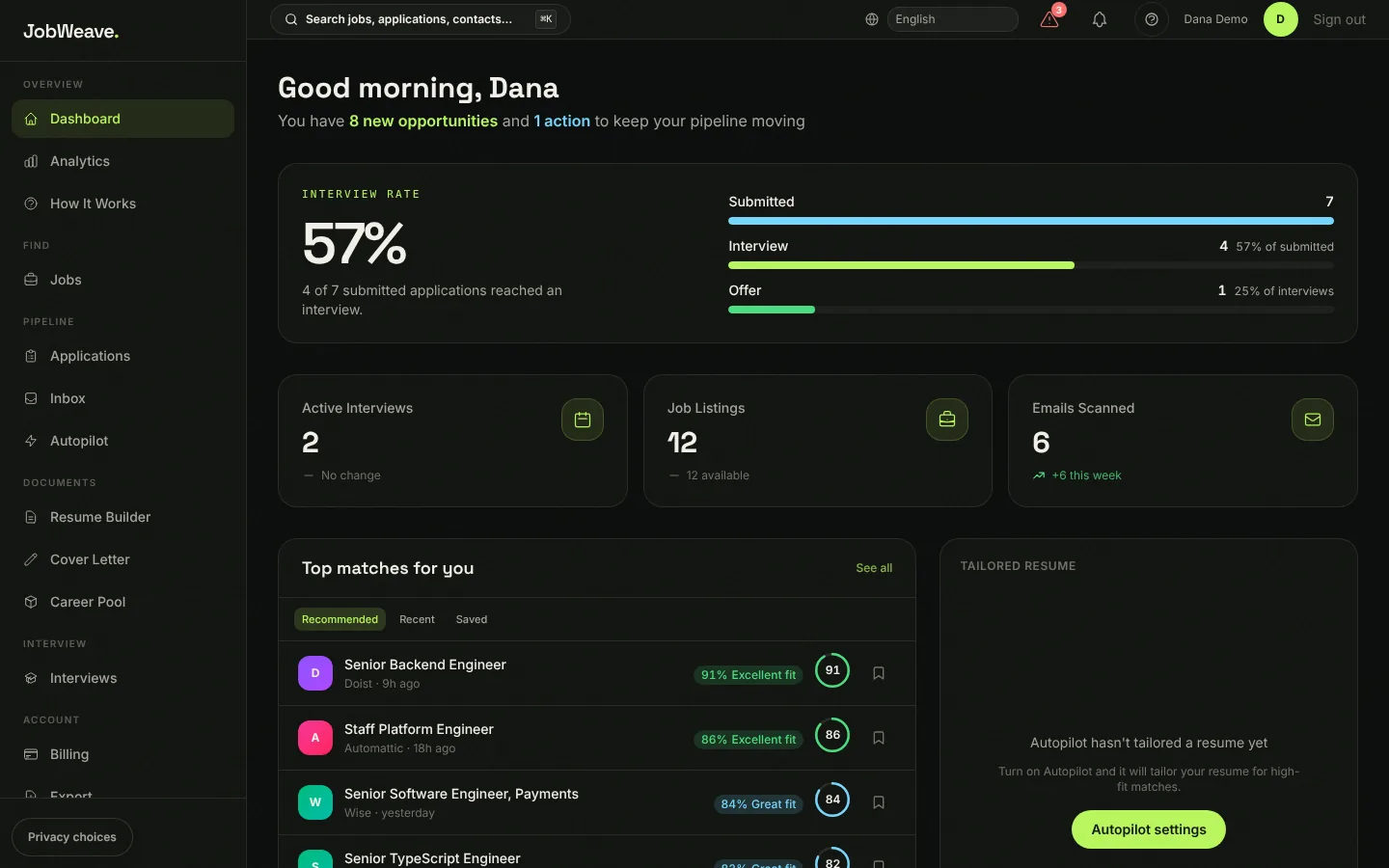
Your dashboard leads with the interview rate: how many submitted applications reached an interview.