Guide 2 of 9 · 6 min read
Add your resume and the facts behind it
Give JobWeave a base resume and a pool of real career facts, so every tailored version stays true.
- 01
Create your base resume
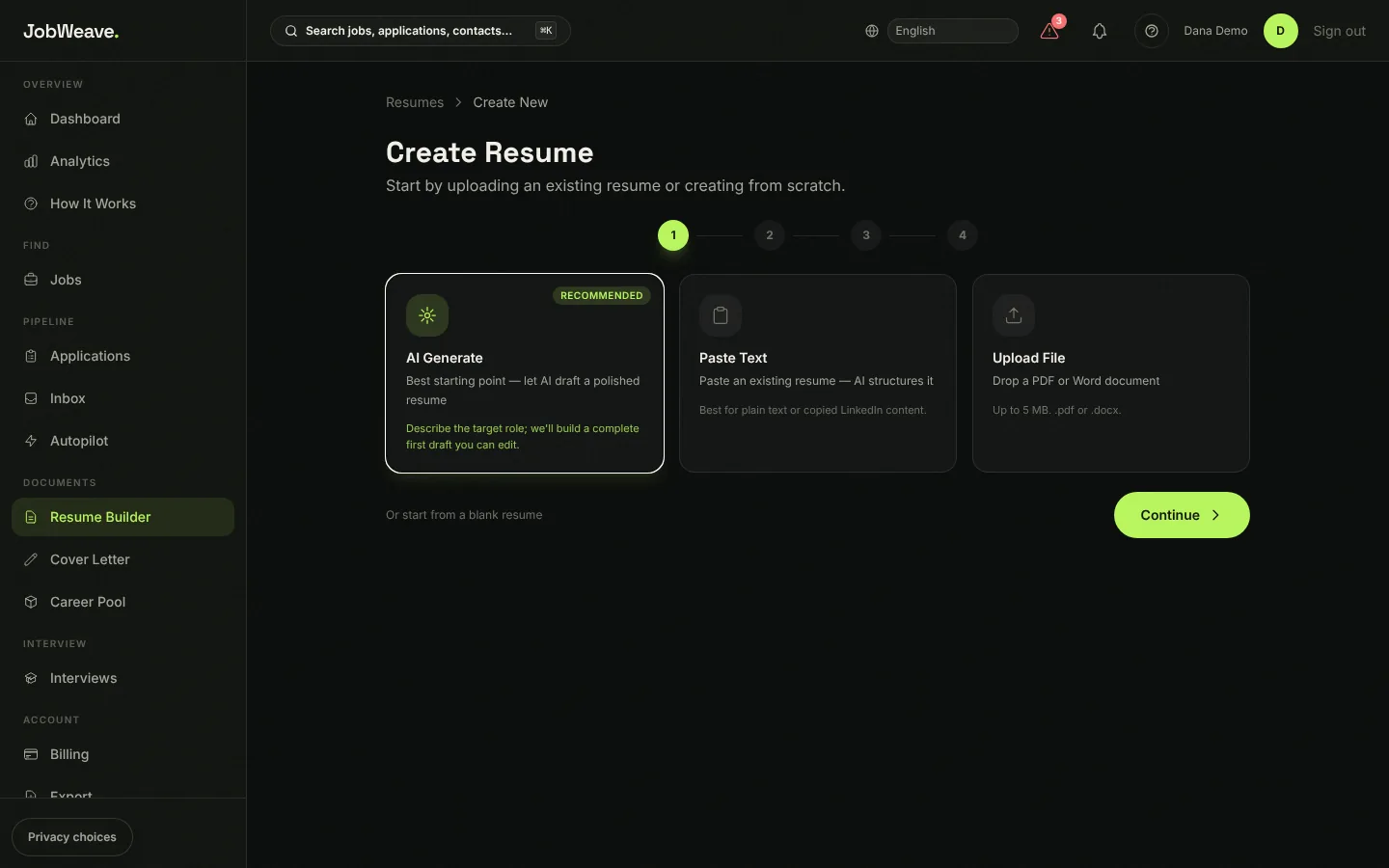
Open Resume Builder and choose Create Resume. There are three ways in: AI Generate (describe the role and get a first draft to edit), Paste Text (paste a resume or your LinkedIn profile text) and Upload File (a PDF or Word .docx file up to 5 MB).
- 02
Keep one base, tailor copies
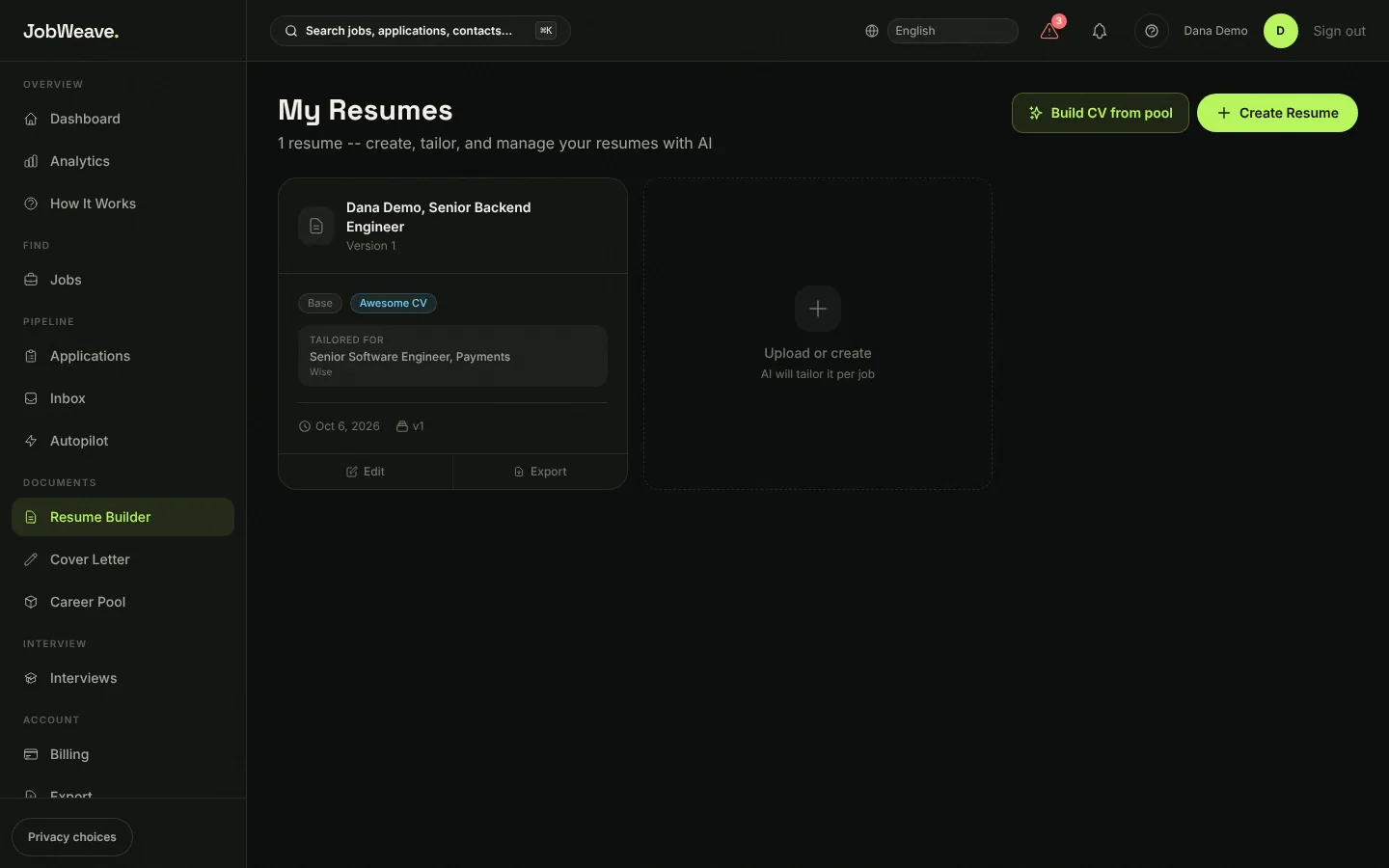
Your own resume is labelled Base. When JobWeave tailors a resume for a job it writes a new copy labelled AI Tailored and linked to that job, so your base is never overwritten. Every resume exports to PDF or DOCX.
- 03
Fill your Career Pool
The Career Pool is a list of everything you have actually done: each job, contract, project and open-source contribution, written once. When JobWeave tailors a resume it chooses from these entries and your profile, and the tailoring check flags dates or year counts that drift from them.
Switch an entry's include toggle off to keep it out of tailored resumes without deleting it. Build CV from pool on the Resume Builder page makes a new resume from the entries you choose.
The more complete your Career Pool, the less you edit each tailored resume. Five minutes here saves an hour later.
- 04
Write a cover letter when you need one
Cover Letter takes a job title, company, the job description and your resume text, and drafts a letter in a professional, conversational or enthusiastic tone. Autopilot also drafts one alongside each tailored resume for strong matches.